
How do I assign position to recruiters?
Go the open position, and go to edit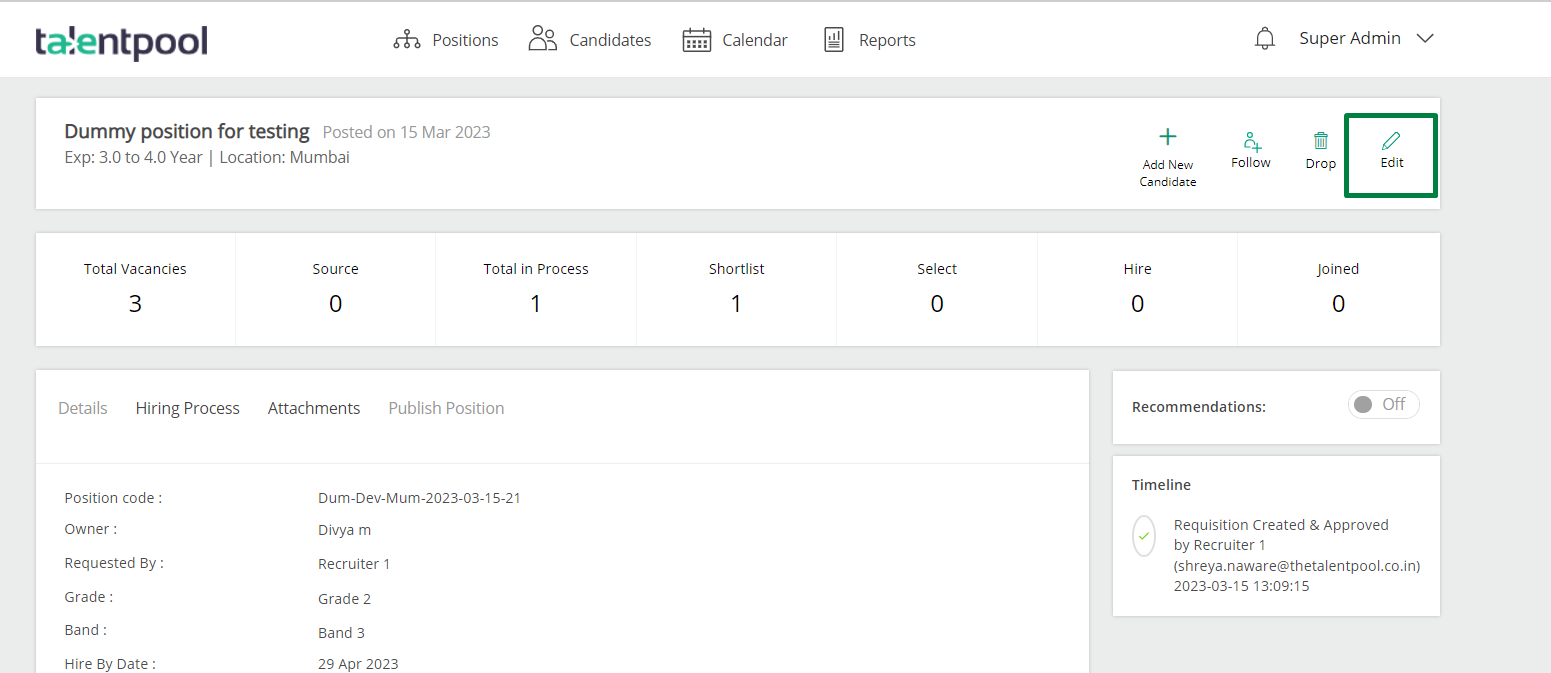
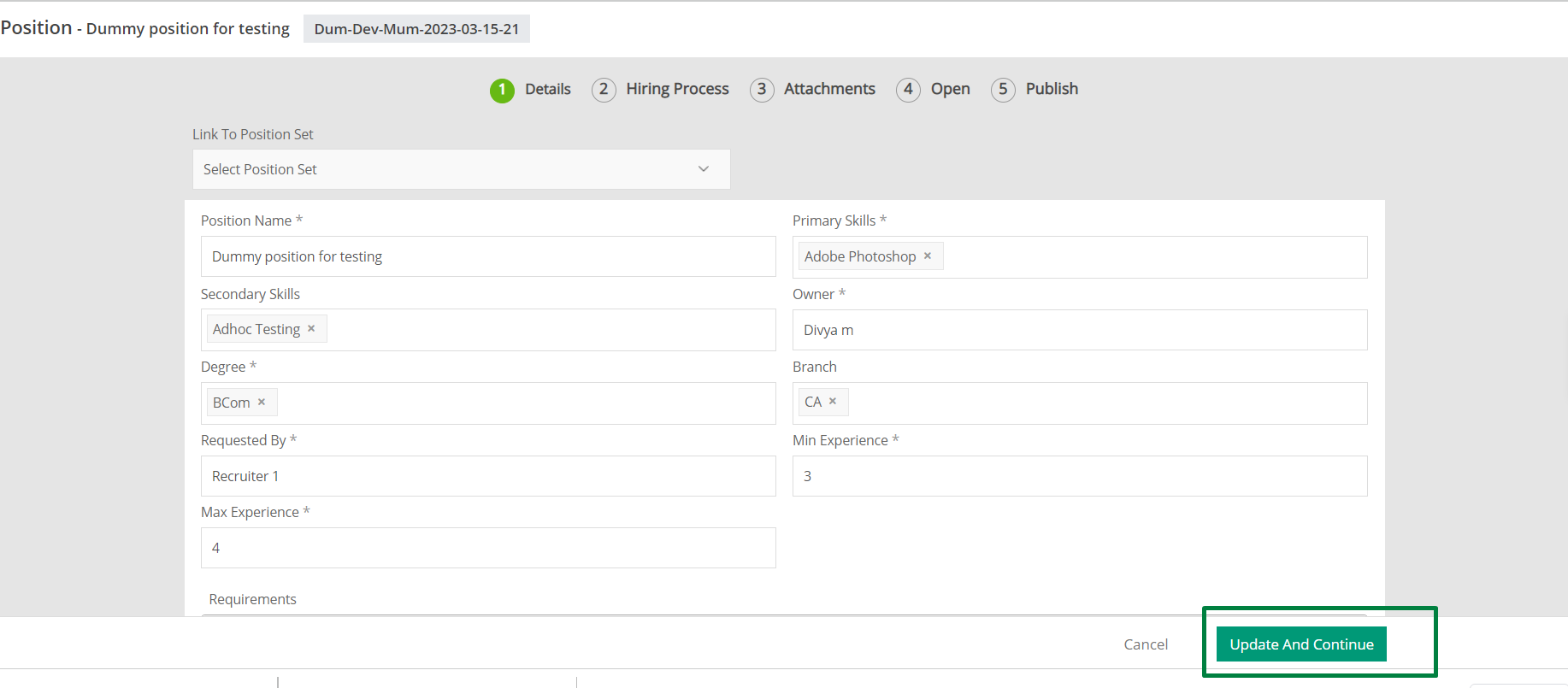
Update and continue from the first Details page,
Add the first step of hiring in the position and assign the first step to the recruiter and go to “update and continue”
You can keep on adding names to the steps in hiring until the position gets closed.
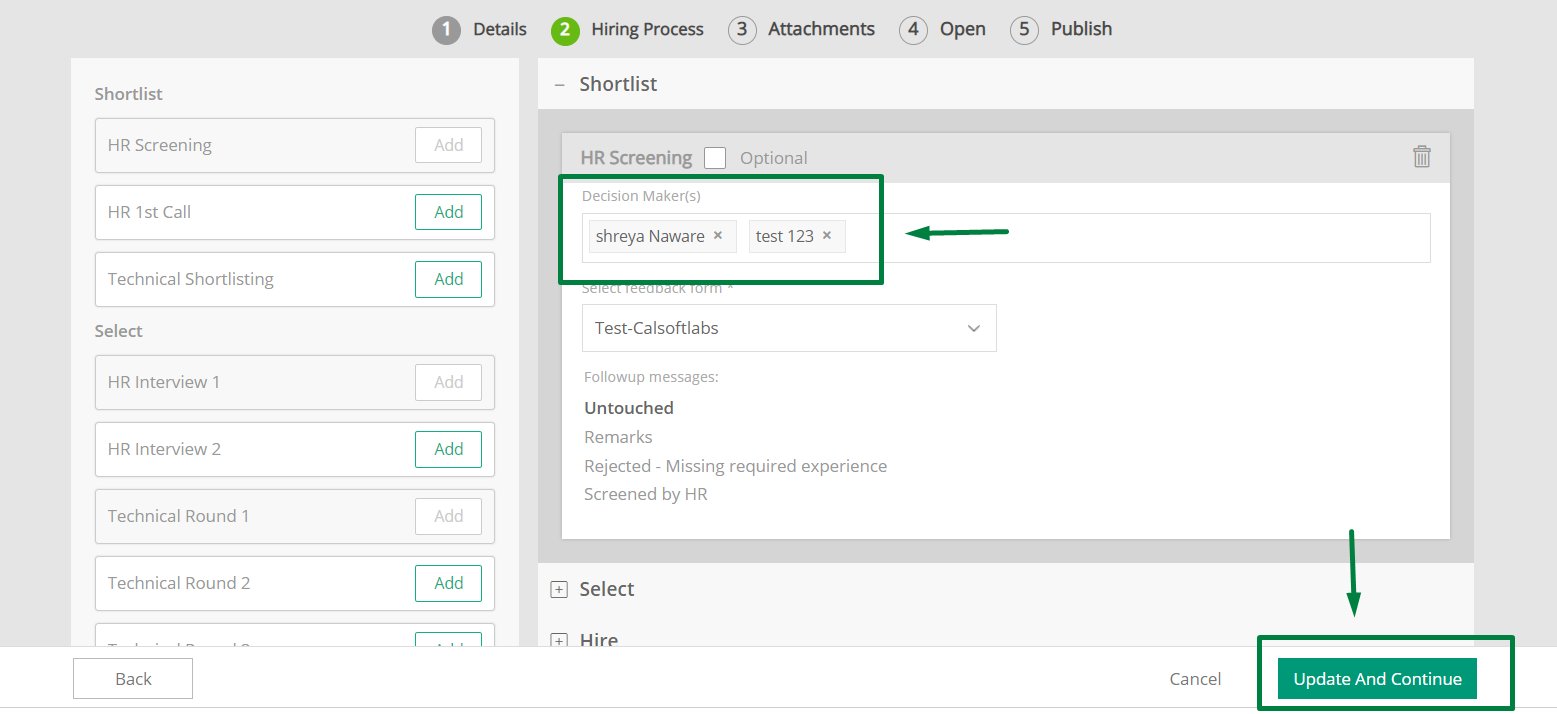
As soon as you mention the name of the recruiter in the Hiring step and Update and continue all 5 pages till Publish , the recruiter will be able to see the position on their end and can start sourcing for candidates.